spring注册RestController的关键过程

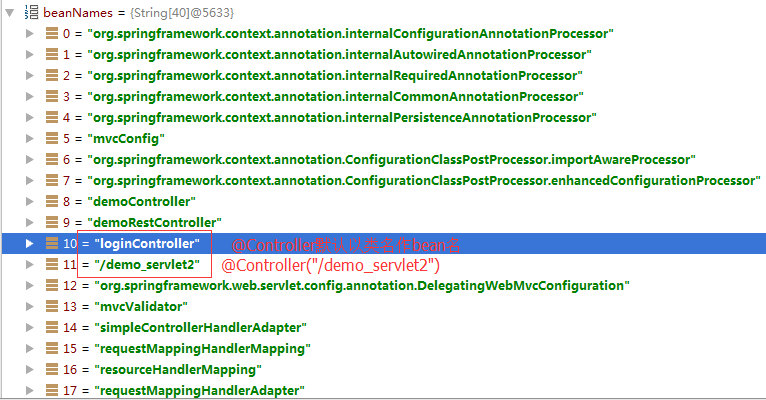
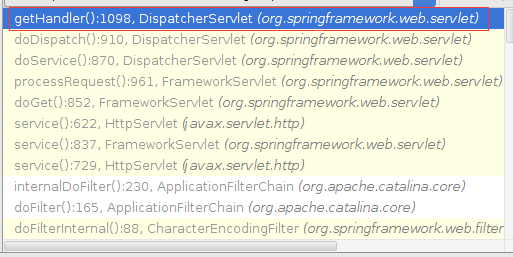
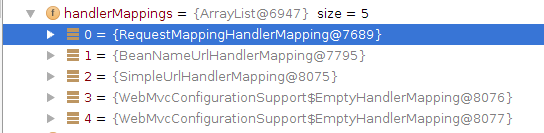
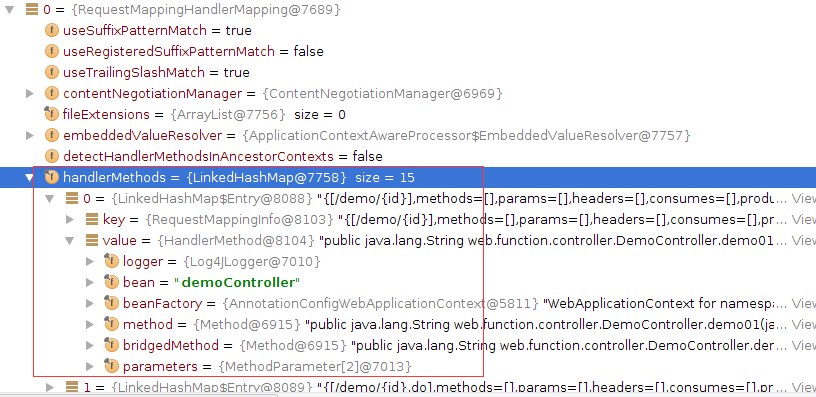
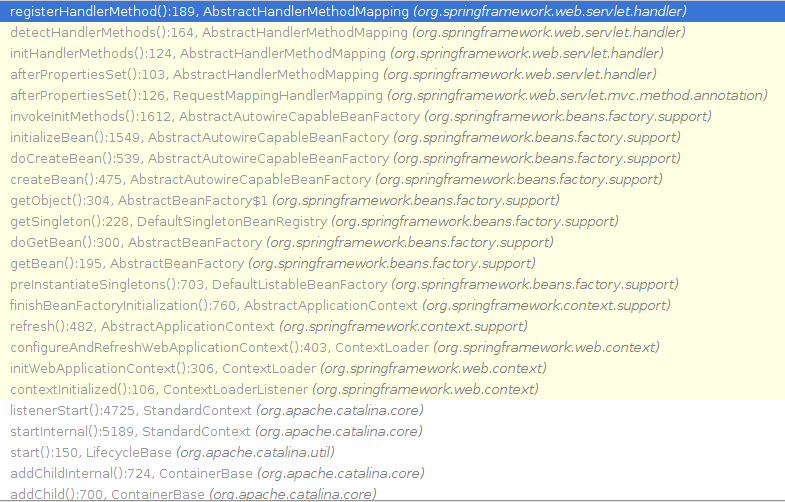
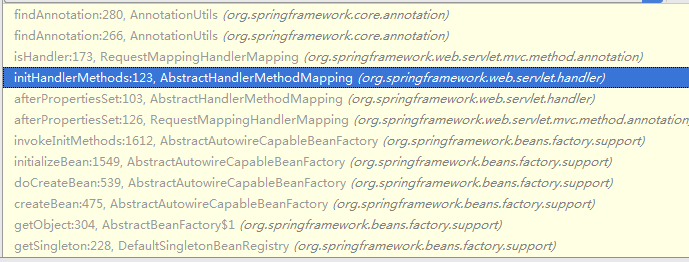
1.注册RestController时,进入它的反射过程栈信息。

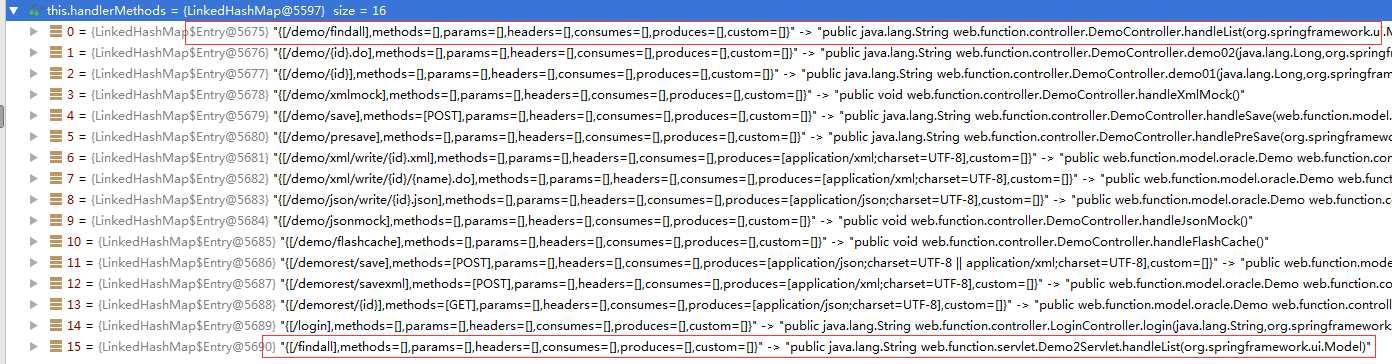
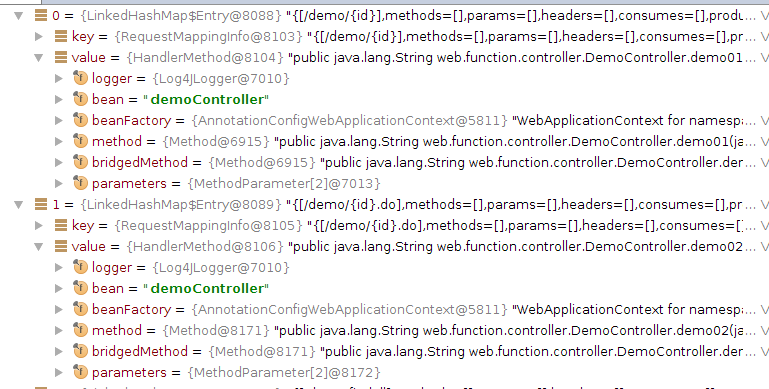
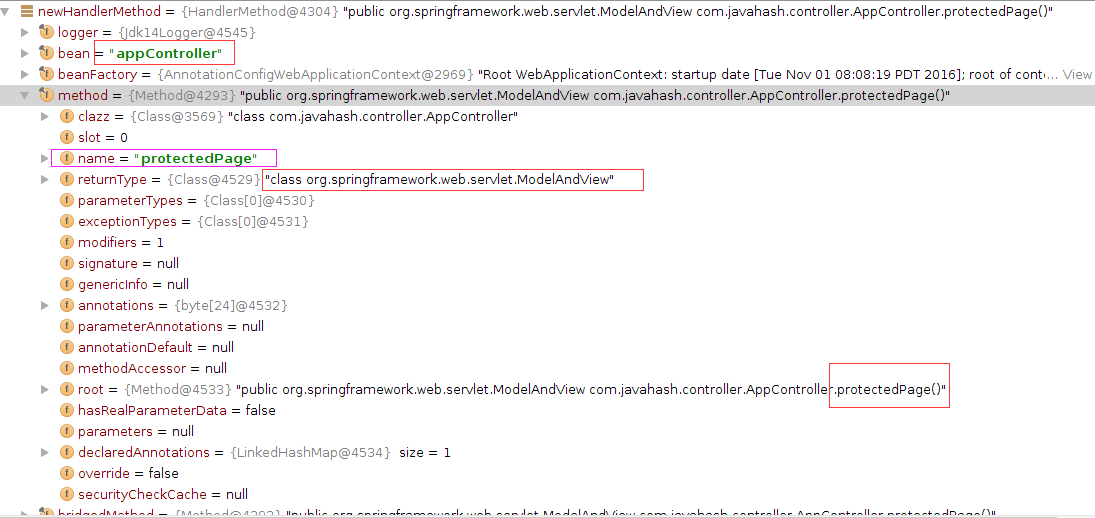
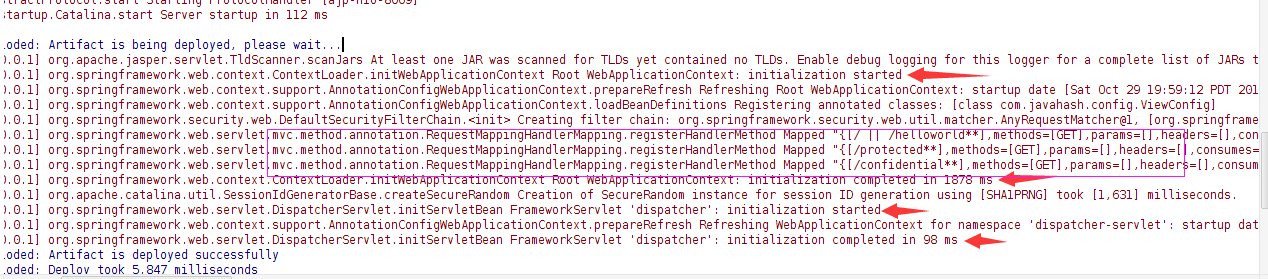
2.registerHandlerMethod时的其中一个变量信息。

3.registerHandlerMethod的具体函数代码

protected void registerHandlerMethod(Object handler, Method method, T mapping) {
        HandlerMethod newHandlerMethod = this.createHandlerMethod(handler, method);
        HandlerMethod oldHandlerMethod = (HandlerMethod)this.handlerMethods.get(mapping);
        if(oldHandlerMethod != null && !oldHandlerMethod.equals(newHandlerMethod)) {
            throw new IllegalStateException("Ambiguous mapping found. Cannot map \'" + newHandlerMethod.getBean() + "\' bean method \n" + newHandlerMethod + "\nto " + mapping + ": There is already \'" + oldHandlerMethod.getBean() + "\' bean method\n" + oldHandlerMethod + " mapped.");
        } else {
            this.handlerMethods.put(mapping, newHandlerMethod);
            if(this.logger.isInfoEnabled()) {
                this.logger.info("Mapped \"" + mapping + "\" onto " + newHandlerMethod);
            }

            Set patterns = this.getMappingPathPatterns(mapping);
            Iterator var7 = patterns.iterator();

            while(var7.hasNext()) {
                String pattern = (String)var7.next();
                if(!this.getPathMatcher().isPattern(pattern)) {
                    this.urlMap.add(pattern, mapping);
                }
            }

        }
    }

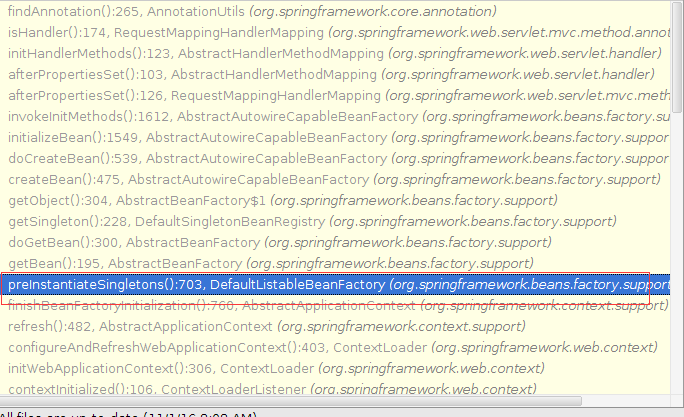
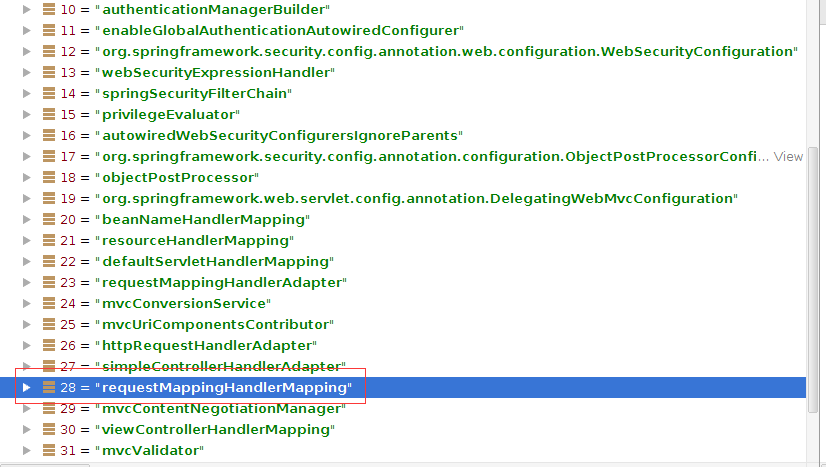
3.preInstantiateSingletons的函数是枚举当前的注解定义,把所有注解定义列出来,并进行逐一获取所有注解相关的配置。

public void preInstantiateSingletons() throws BeansException {
        if(this.logger.isDebugEnabled()) {
            this.logger.debug("Pre-instantiating singletons in " + this);
        }

        Map var2 = this.beanDefinitionMap;
        ArrayList beanNames;
        synchronized(this.beanDefinitionMap) {
            beanNames = new ArrayList(this.beanDefinitionNames);
        }

        Iterator var8 = beanNames.iterator();

        while(true) {
            while(true) {
                String beanName;
                RootBeanDefinition bd;
                do {
                    do {
                        do {
                            if(!var8.hasNext()) {
                                return;
                            }

                            beanName = (String)var8.next();
                            bd = this.getMergedLocalBeanDefinition(beanName);
                        } while(bd.isAbstract());
                    } while(!bd.isSingleton());
                } while(bd.isLazyInit());

                if(this.isFactoryBean(beanName)) {
                    final FactoryBean factory = (FactoryBean)this.getBean("&" + beanName);
                    boolean isEagerInit;
                    if(System.getSecurityManager() != null && factory instanceof SmartFactoryBean) {
                        isEagerInit = ((Boolean)AccessController.doPrivileged(new PrivilegedAction() {
                            public Boolean run() {
                                return Boolean.valueOf(((SmartFactoryBean)factory).isEagerInit());
                            }
                        }, this.getAccessControlContext())).booleanValue();
                    } else {
                        isEagerInit = factory instanceof SmartFactoryBean && ((SmartFactoryBean)factory).isEagerInit();
                    }

                    if(isEagerInit) {
                        this.getBean(beanName);
                    }
                } else {
                    this.getBean(beanName);
                }
            }
        }
    }

spring4.x之HttpMessageConverter

public class WebMvcConfigurationSupport implements ApplicationContextAware, ServletContextAware {
    private static boolean romePresent = ClassUtils.isPresent("com.rometools.rome.feed.WireFeed", WebMvcConfigurationSupport.class.getClassLoader());
    private static final boolean jaxb2Present = ClassUtils.isPresent("javax.xml.bind.Binder", WebMvcConfigurationSupport.class.getClassLoader());
    private static final boolean jackson2Present = ClassUtils.isPresent("com.fasterxml.jackson.databind.ObjectMapper", WebMvcConfigurationSupport.class.getClassLoader()) && ClassUtils.isPresent("com.fasterxml.jackson.core.JsonGenerator", WebMvcConfigurationSupport.class.getClassLoader());
    private static final boolean jackson2XmlPresent = ClassUtils.isPresent("com.fasterxml.jackson.dataformat.xml.XmlMapper", WebMvcConfigurationSupport.class.getClassLoader());
    private static final boolean gsonPresent = ClassUtils.isPresent("com.google.gson.Gson", WebMvcConfigurationSupport.class.getClassLoader());

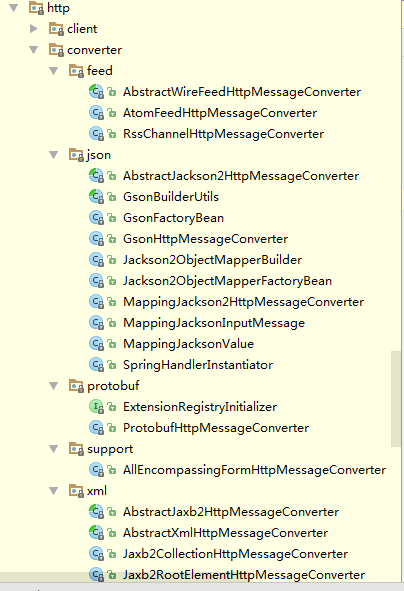
spring内部已经内置了,feed,json,protobuf的支持,只要在pom.xml的配置文件中添加相应的库支持,即可。


   com.fasterxml.jackson.core
   jackson-core
   ${jackson.version}


   com.fasterxml.jackson.core
   jackson-databind
   ${jackson.version}


 com.google.protobuf
 protobuf-java
 2.5.0


 com.googlecode.protobuf-java-format
 protobuf-java-format
 1.2

Eagle数据安全方案

Apache Eagle:分布式实时 Hadoop 数据安全方案

因为是ebay电商公司的开源,所以它更适合电商平台的使用。

———————————————————-
Eagle Architecture

数据流接入和存储(Data Collection and Storage)

Eagle 提供高度可扩展的编程API,可以支持将任何类型的数据源集成到Eagle的策略执行引擎中。例如,在Eagle HDFS 审计事件(Audit)监控模块中,通过Kafka来实时接收来自Namenode Log4j Appender 或者 Logstash Agent 收集的数据;在Eagle Hive 监控模块中,通过YARN API 收集正在运行Job的Hive 查询日志,并保证比较高的可伸缩性和容错性。

数据实时处理(Data Processing)

流 处理API(Stream Processing API)Eagle 提供独立于物理平台而高度抽象的流处理API,目前默认支持Apache Storm,但是也允许扩展到其他任意流处理引擎,比如Flink 或者 Samza等。该层抽象允许开发者在定义监控数据处理逻辑时,无需在物理执行层绑定任何特定流处理平台,而只需通过复用、拼接和组装例如数据转换、过滤、 外部数据Join等组件,以实现满足需求的DAG(有向无环图),同时,开发者也可以很容易地以编程地方式将业务逻辑流程和Eagle 策略引擎框架集成起来。Eagle框架内部会将描述业务逻辑的DAG编译成底层流处理架构的原生应用,例如Apache Storm Topology 等,从事实现平台的独立。

vim配置神器

1.vim配置文件和插件
https://github.com/ma6174/vim

2.vim自动化插件,非常著名,包括了各种各样的插件,貌似没有for gdb的插件。
http://vim.spf13.com/

3.https://github.com/wklken/k-vim

4.https://github.com/fisadev/fisa-vim-config

转:HDFS基本命令

HDFS基本命令:

hadoop fs -cmd

cmd: 具体的操作,基本上与UNIX的命令行相同

args:参数

HDFS资源URI格式

scheme://authority/path

scheme:协议名,file或hdfs

authority:namenode主机名

path:路径

示例:hdfs://localhost:9000/user/chunk/test.txt

假设已经在core-site.xml里配置了 fs.default.name=hdfs://localhost:9000,则仅使用/user/chunk/test.txt即可。

hdfs默认工作目录为 /user/$USER,$USER是当前的登录用户名。

HDFS命令示例:

hadoop fs -mkdir /user/trunk

hadoop fs -ls /user

hadoop fs -lsr /user   (递归的)

hadoop fs -put test.txt /user/trunk

hadoop fs -put test.txt .  (复制到hdfs当前目录下,首先要创建当前目录)

hadoop fs -get /user/trunk/test.txt . (复制到本地当前目录下)

hadoop fs -cat /user/trunk/test.txt

hadoop fs -tail /user/trunk/test.txt  (查看最后1000字节)

hadoop fs -rm /user/trunk/test.txt

hadoop fs -help ls (查看ls命令的帮助文档)

图中的2:文件备份数量,因为采用了两台机器的全分布模式,所以此处为2.对于目录,使用-。

在put的时候遇到问题:

  1. put: org.apache.hadoop.hdfs.server.namenode.SafeModeException: Cannot create file/user/hadoopadmin. Name node is in safe mode.  

解法:>bin/hadoop dfsadmin -safemode leave
http://zkl-1987.iteye.com/blog/365587

有关HDFS的官方文档,可以参考如下网址:
http://hadoop.apache.org/docs/current/hadoop-project-dist/hadoop-common/CommandsManual.html

nginx静态文件Cache配置

一直不知道nginx自带了静态文件Cache功能,现在可好了,可以优化一下我的博客了。

开启功能:

1.  open_file_cache max=65535 inactive=60s;

这个将为打开文件指定缓存,默认是没有启用的,max 指定缓存数量,建议和打开文件数一致,inactive 是指经过多长时间文件没被请求后删除缓存。

2.  open_file_cache_valid 80s;

这个是指多长时间检查一次缓存的有效信息。

3.  open_file_cache_min_uses 1

open_file_cache 指令中的inactive 参数时间内文件的最少使用次数,如果超过这个数字,文件描述符一直是在缓存中打开的,如上例,如果有一个文件在inactive 时间内一次没被使用,它将被移除。

文件Cache的实现原理:http://www.pagefault.info/?p=123

备注:相较传统read/write方式,2.1版本内核引进的sendfile已经减少了内核缓冲区到user缓冲区,再由user缓冲区到socket相关缓冲区的文件copy,而在内核版本2.4之后,文件描述符结果被改变,sendfile实现了更简单的方式,系统调用方式仍然一样,细节与2.1版本的不同之处在于,当文件数据被复制到内核缓冲区时,不再将所有数据copy到socket相关的缓冲区,而是仅仅将记录数据位置和长度相关的数据保存到socket相关的缓存,而实际数据将由DMA模块直接发送到协议引擎,再次减少了一次copy操作。

Spark正确编译Jar包

Spark的插件,在配置jar包导出时,默认会把Hadoop及Scala等第三方库打包进JAR包,这会造成文件重复。从而导致各种错误,原因是JAR包中依赖与Spark运行环境的依赖文件重复导致加载错误,从而导致一些异常。a


a